Your own Minecraft server. Friends in, in a minute.

Cubi hosts a Minecraft server on your PC and gives you an address to share. No command line, no Java setup, no port forwarding. Free.

Windows 10/11 · Linux · Open source (MIT)

RunsVanillaPaperFabricForgeNeoForgeSpigot
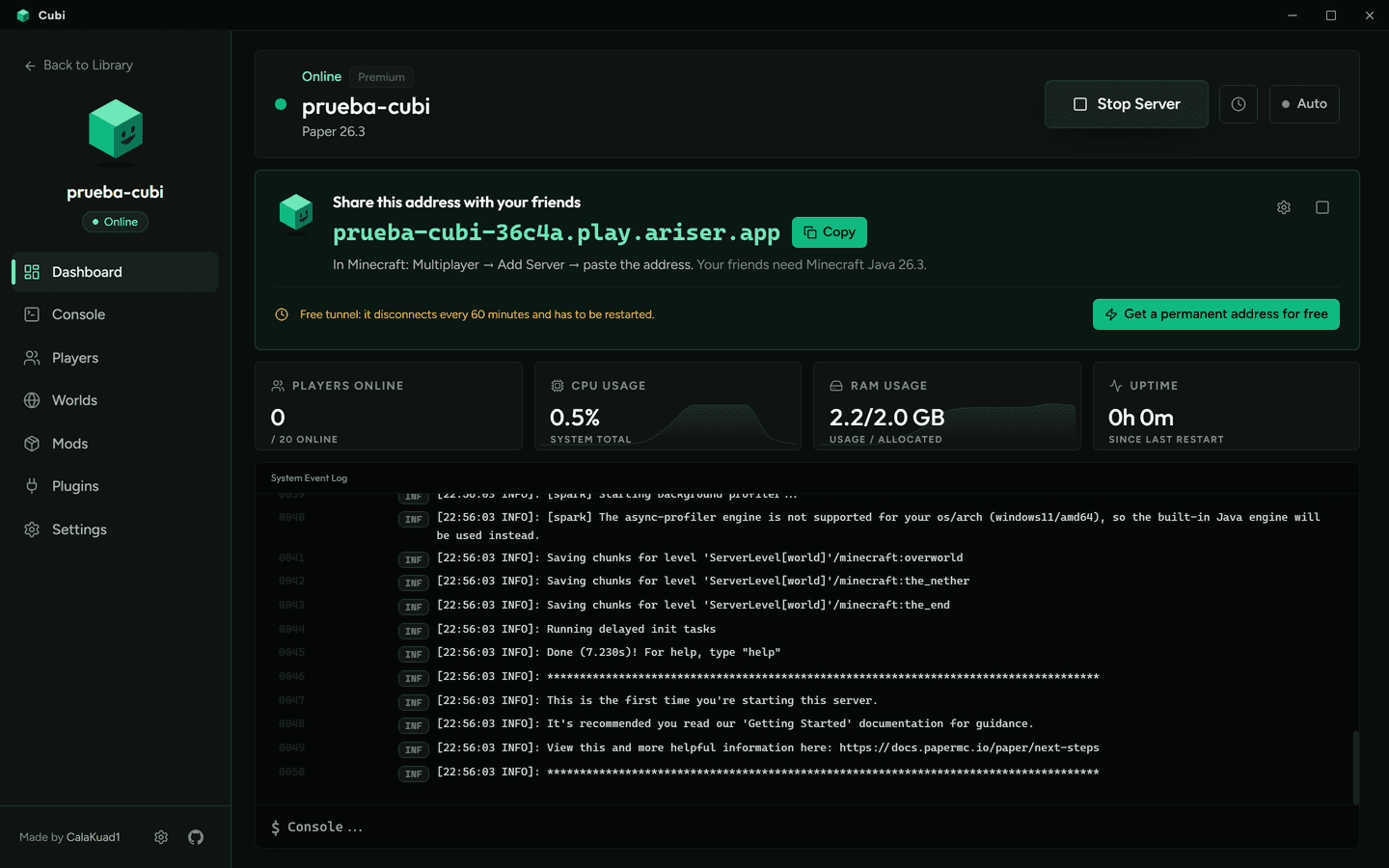
Cubi dashboard showing the address to share with friends

Three steps. That's it.

From download to playing together.

1

Create

Pick how you want to play: vanilla, plugins or mods. Cubi downloads the server and the right Java for you.

2

Start

The server starts by itself and gets a public address. Nothing to set up on your router.

3

Share

Copy the address and send it to your friends. They paste it in Multiplayer → Add Server.

Play with friends from anywhere

A public address in one click. Link a free playit.gg account for a permanent address, or use the built-in tunnel. No port forwarding.

Dashboard with the address to share with friends

Know your players

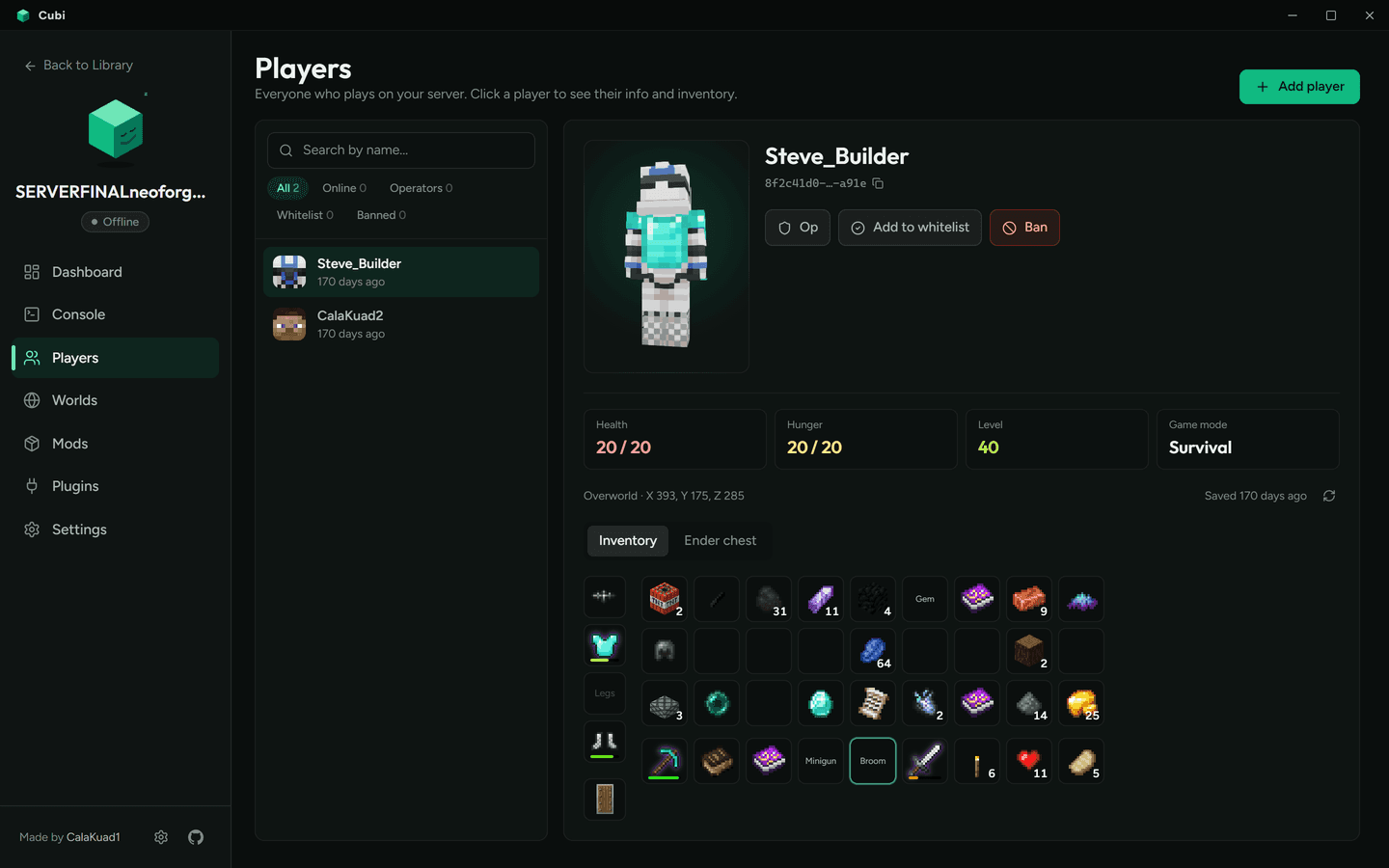
Everyone who joined, with a 3D skin wearing their armor, stats, and their inventory and ender chest with real item icons — modded items too. Op, whitelist, kick or ban in one click.

Player card with 3D skin and inventory

Mods and plugins without the hassle

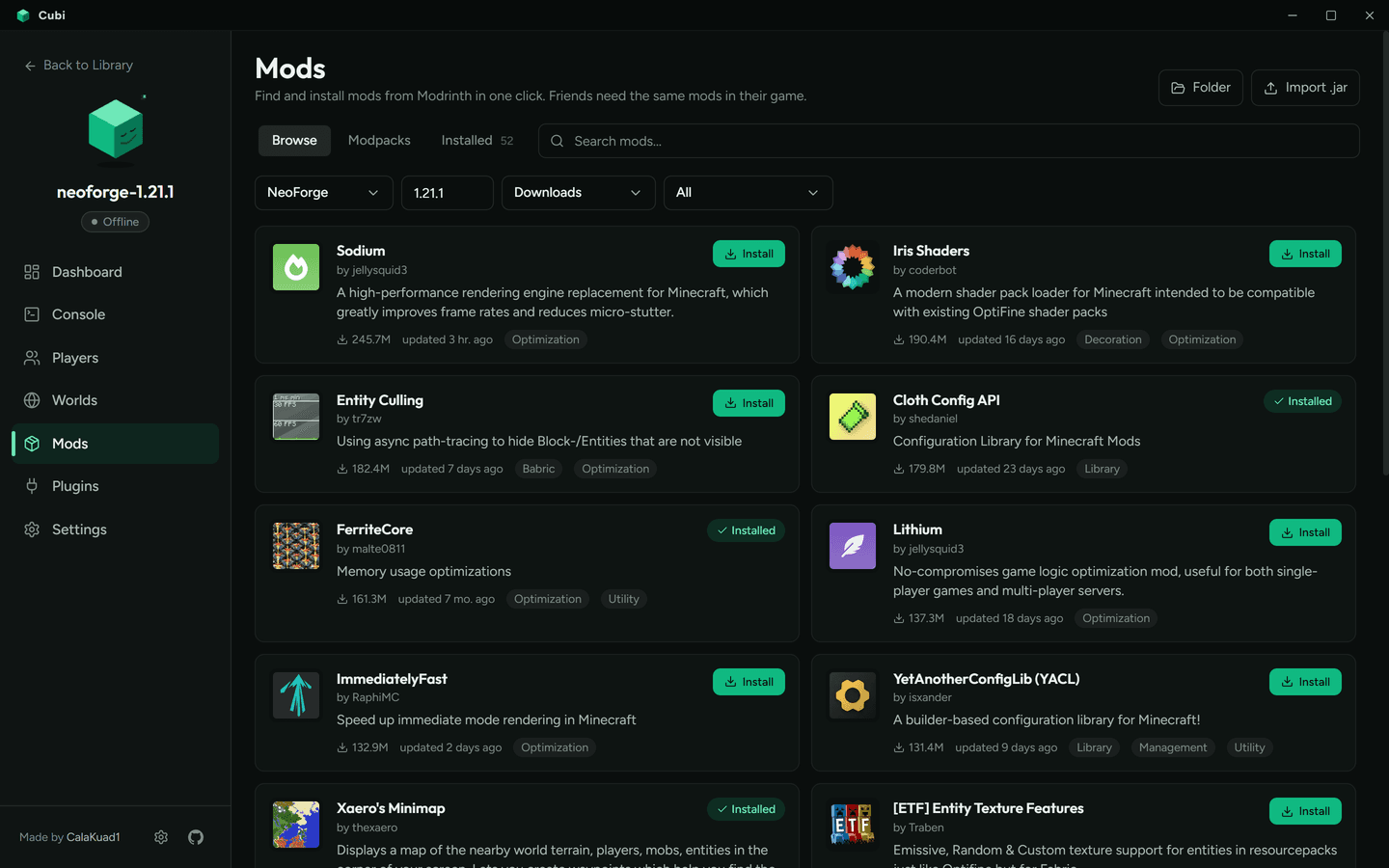
Search Modrinth and install mods, plugins and whole modpacks from inside the app. The installed list shows readable names, not jar files.

Mods browser

Your worlds, safe

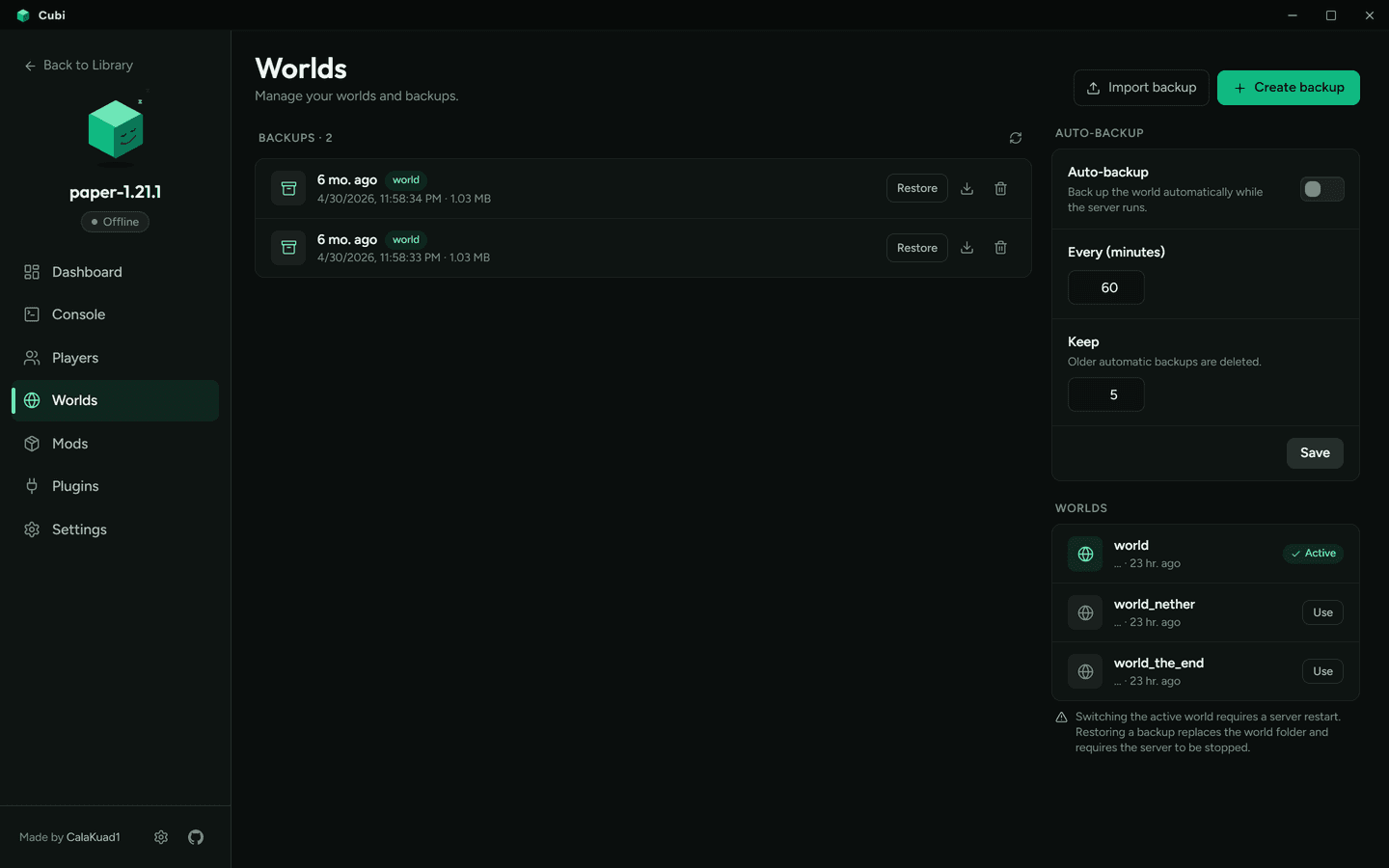
Automatic backups on a schedule. Restore, download or import a world in one click.

Worlds and backups

Questions

What's new

v2.0.0

MLSG is now Cubi2026-10-17
  • MLSG is now Cubi: new name, logo and a mascot that reacts to your server
  • New design: green-tinted dark UI, readable fonts, real server-type logos, no scrolling on the dashboard
  • Plain-language setup wizard in 4 languages; the new server starts by itself
  • “Share this address” card and free permanent addresses with playit.gg
  • Players: one list, 3D skins with armor, stats, inventory and ender chest with real item icons (modded too)
  • Redesigned Mods, Plugins, Worlds & backups, server settings and app settings
  • The installer and shortcuts are now called Cubi; updating from 1.x keeps everything
  • Fixes: free port fallback when 8000 is busy, no UI freezes on slow requests
Download v2.0.0

All releases →

Ready to play together?

Free, open source, and set up in a minute.